 -Safe
Use phone, camcorder or CCTV footage as it is — no sensors or special equipment.
AI SAFETY & ERGONOMICS PLATFORM
One work video.
From risk assessment to improvement.
AI reads joints and protective equipment in your work videos to draft RULA, REBA, OWAS and NIOSH scores, the 11 MSD-burden task checks and helmet / harness checks for work at height. Symptom surveys, worker review, report forms and video manuals stay in one flow.
Scores and checks are screening drafts — your safety officer makes the final decision.
01 / JOINTS17 jointsevery frame
02 / SCORESRULA · REBAOWAS · NIOSH
03 / PPEHelmet · harnessAI-confirmed
WHY PROEYE-SAFE
What changes on the shop floor
Hand-filled checklists become video-based records. No wearable sensors, no GPU server.
Measured postures and repetitions are converted to daily exposure to suggest each item.
Green, yellow and red badges above each worker show helmet and harness status at a glance.
Views, comments, replies and confirmations are kept in a tamper-proof record.
CORE FEATURES
Survey, assess, improve and train in one place
Built on Factory Twin work analysis, so work elements, standard time and safety assessment share the same video.
Posture scoring
Skeleton and joint angles over the video, with neck, shoulder, back, wrist and knee risk bands under the work-element timeline.
- Finds risky scenes
- AI corrects view and twisting
- Body-part risk bands
PPE check
Workers are tracked and checked for helmets and harnesses, shown as green / yellow / red badges with evidence photos.
- Evidence photo per worker
- AI judges work at height
- Unconfirmed stays yellow
11 MSD-burden checks
Measured values become daily exposure to suggest items 1–11. Values a video cannot know, like weight, are asked for.
- Reasons shown
- Confirmed by a person
- Regular and ad-hoc surveys
Symptom survey · worker review
Collect symptom surveys on phones via QR, send drafts to worker representatives and record views, comments and replies.
- Email-verified review portal
- Hash-chained audit log
- Korean and English
Report forms · plans
Checklists, basic survey sheets, detailed assessments and improvement plans, with before/after comparison in one table.
- Before/after scores
- Standard time alongside
- Hazard register
Manual studio · 3D
Work elements become manual steps and confirmed risks become warnings. Compare improvement ideas in a 3D workstation first.
- Captions, translation, risk badges
- 3D worker teaching
- Review, approve, publish
WATCH
Get it in one minute
Watch the short for the idea, then click through a real video manual built with Manual Studio.
Video manual · 1:36
High-rise work-at-height safety manual — 8 steps
This manual was built straight from work video with ProEye-Safe Manual Studio.
RISK MAP
Tasks × body parts, risk at a glance
The highest body-part grade of each work element, shown as a map. Click a cell to jump to that scene.
- 1Green · OK
- 2Yellow · watch
- 3Orange · improve
- 4Red · act now
NeckShoulderBackWristKnee
High-rise facility work at height44423
Air purifier body assembly (moving line)44423
Engine maintenance43423
REAL SCREENS
See it on screen, not in words.
Real product screens. Click through the tabs.
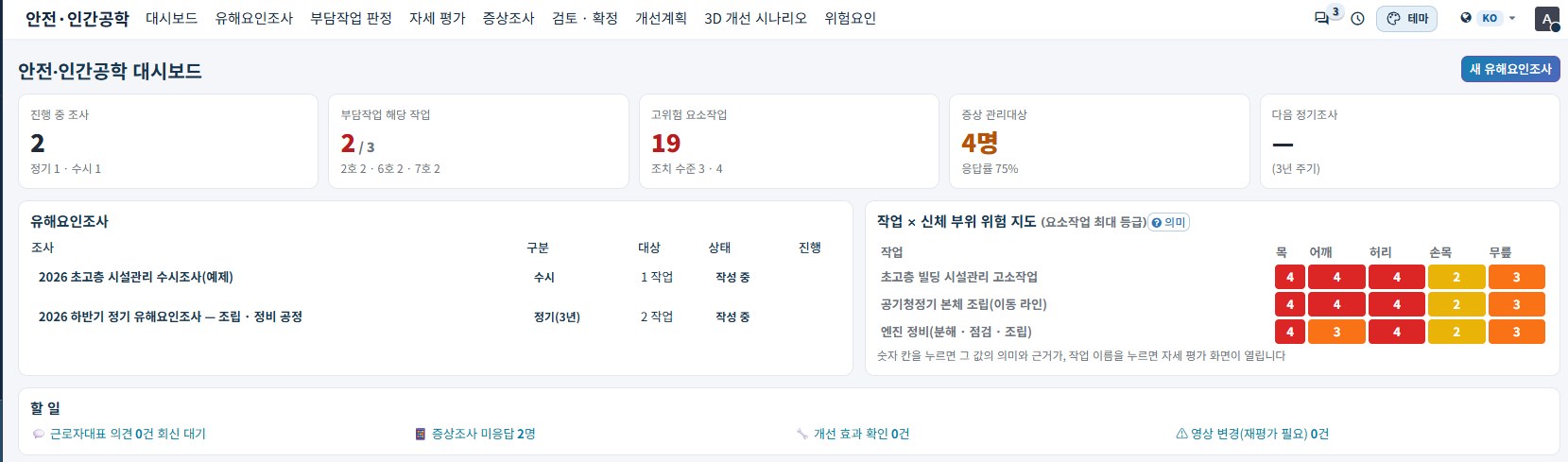
Safety & ergonomics dashboard
Real product screenSurveys in progress, burden tasks, high-risk elements, symptom follow-ups and the task × body-part risk map on one screen.
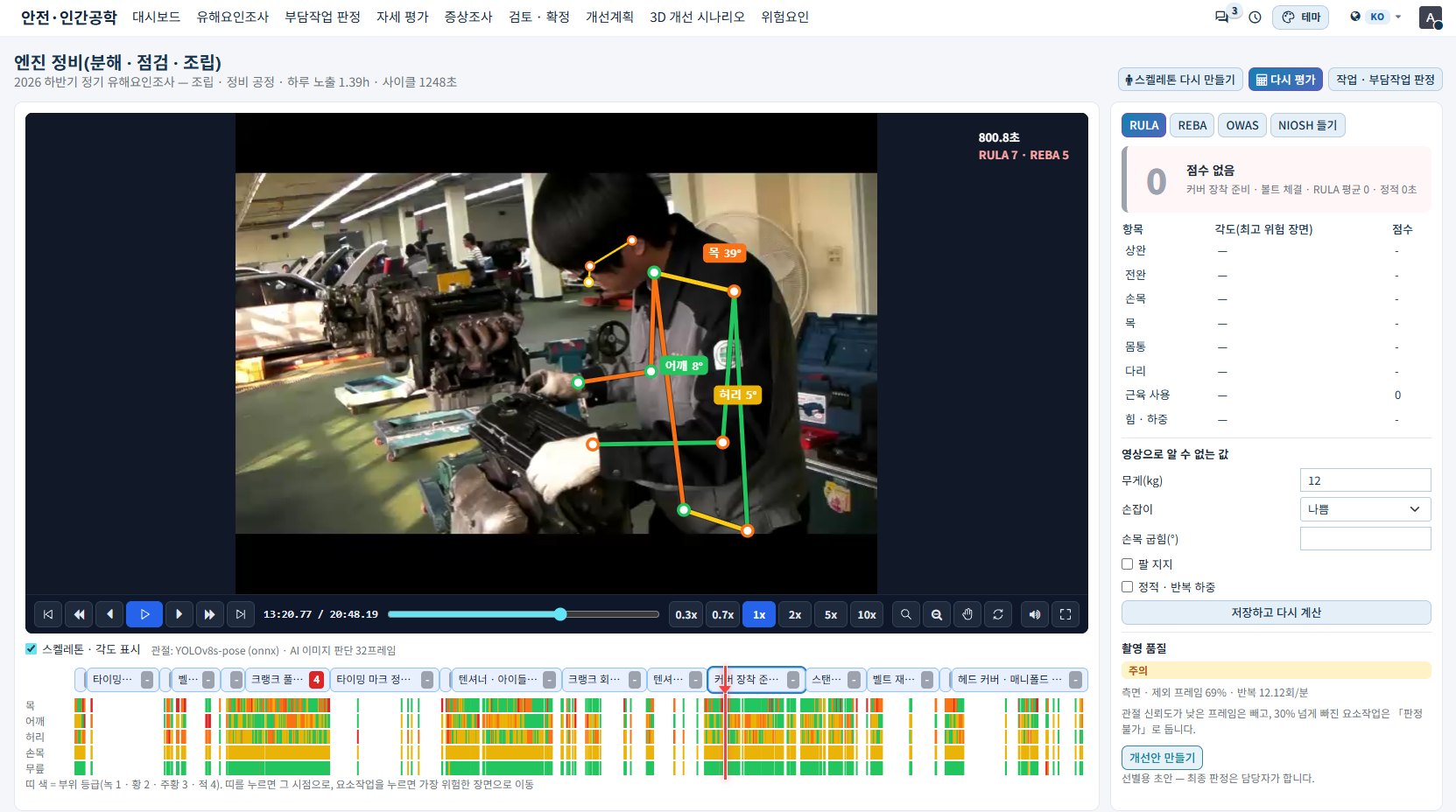
Skeleton and joint angles on video
Real product screenSee neck, shoulder and back angles over the video and find risky scenes from per-part risk bands.
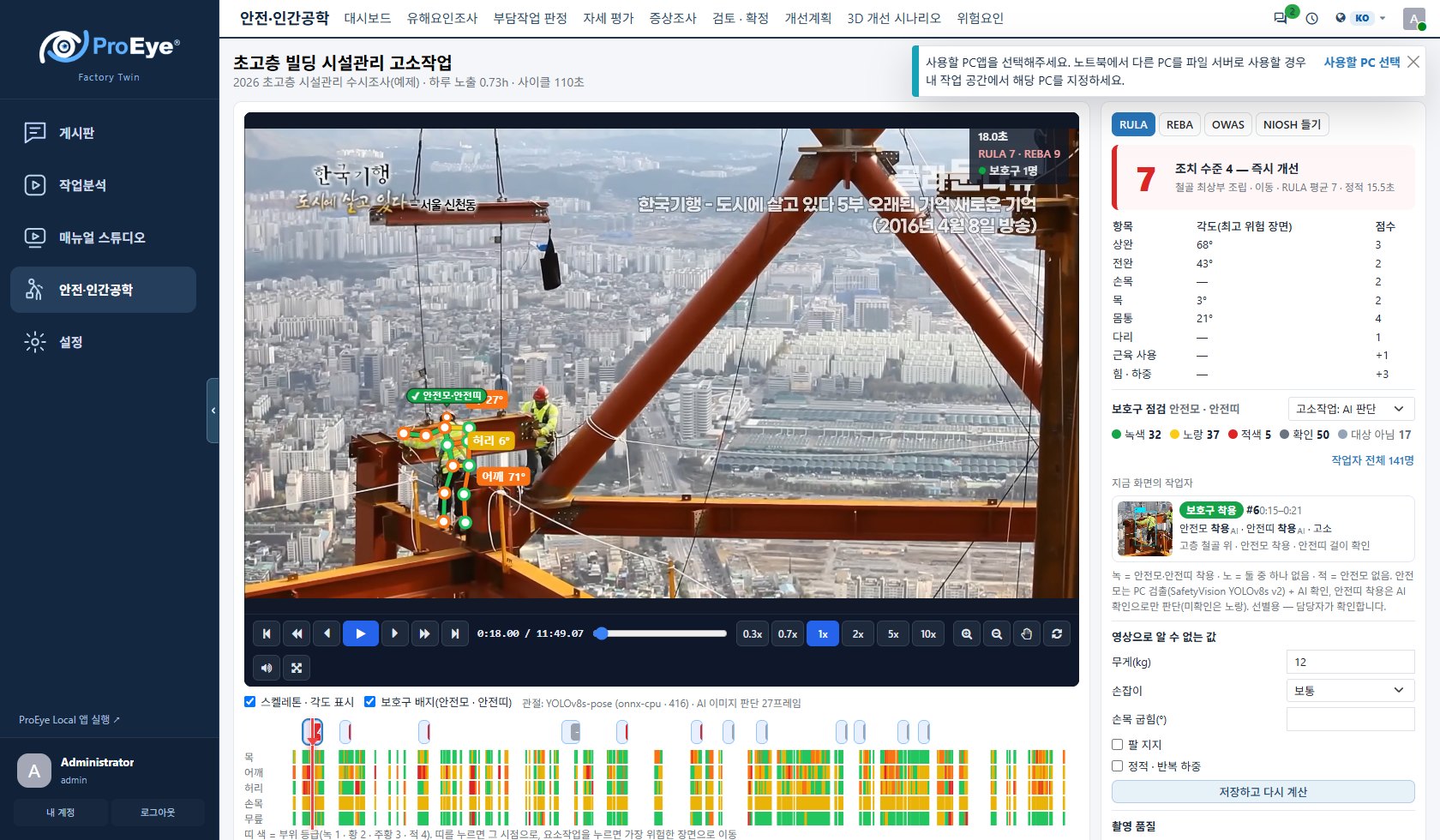
Posture at height · RULA 7
Real product screenEven high-rise steel work from one video: the riskiest scene and action level are found automatically.
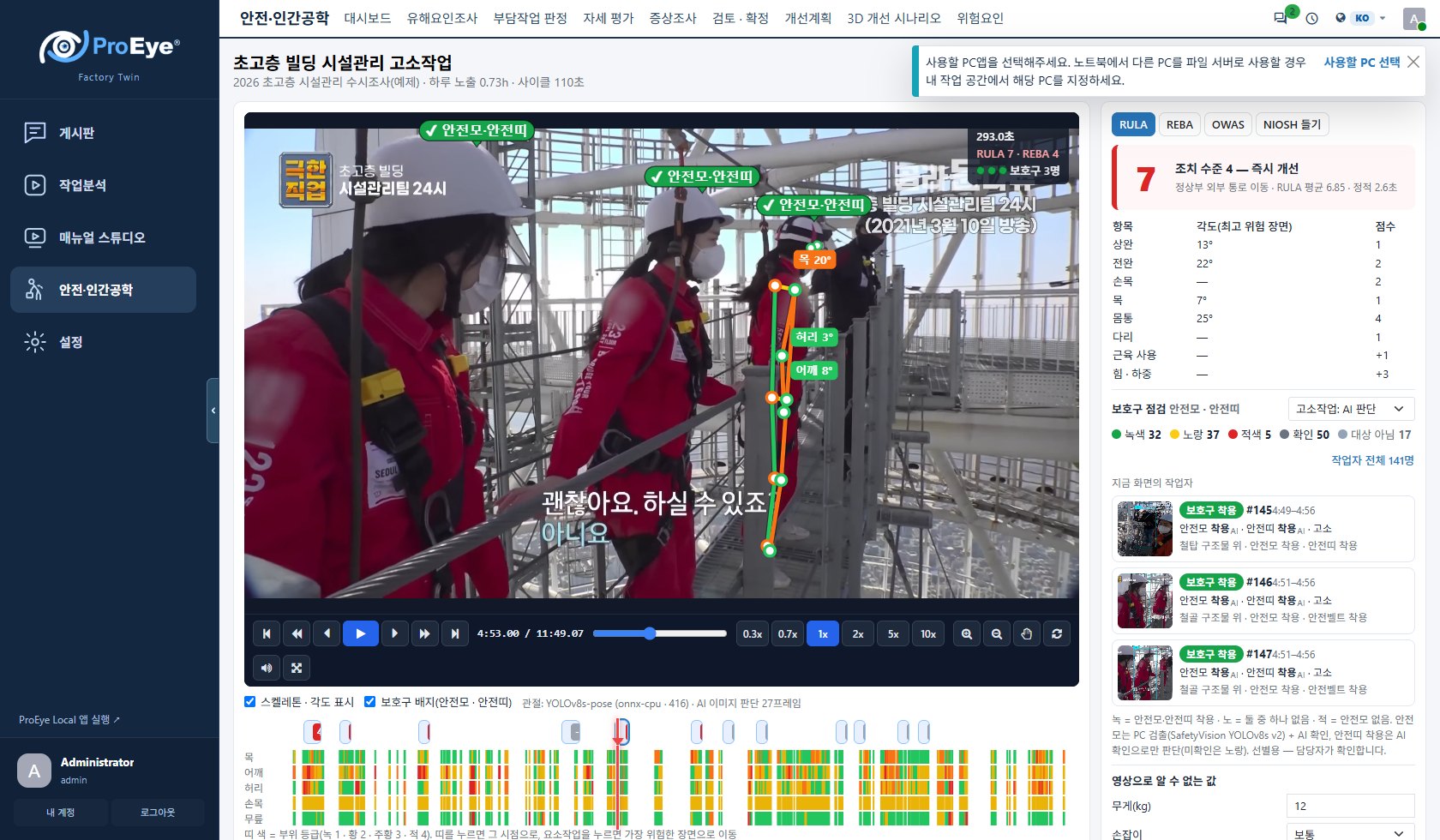
Helmet and harness badges
Real product screenA status badge above every worker, with evidence scenes collected in a list.
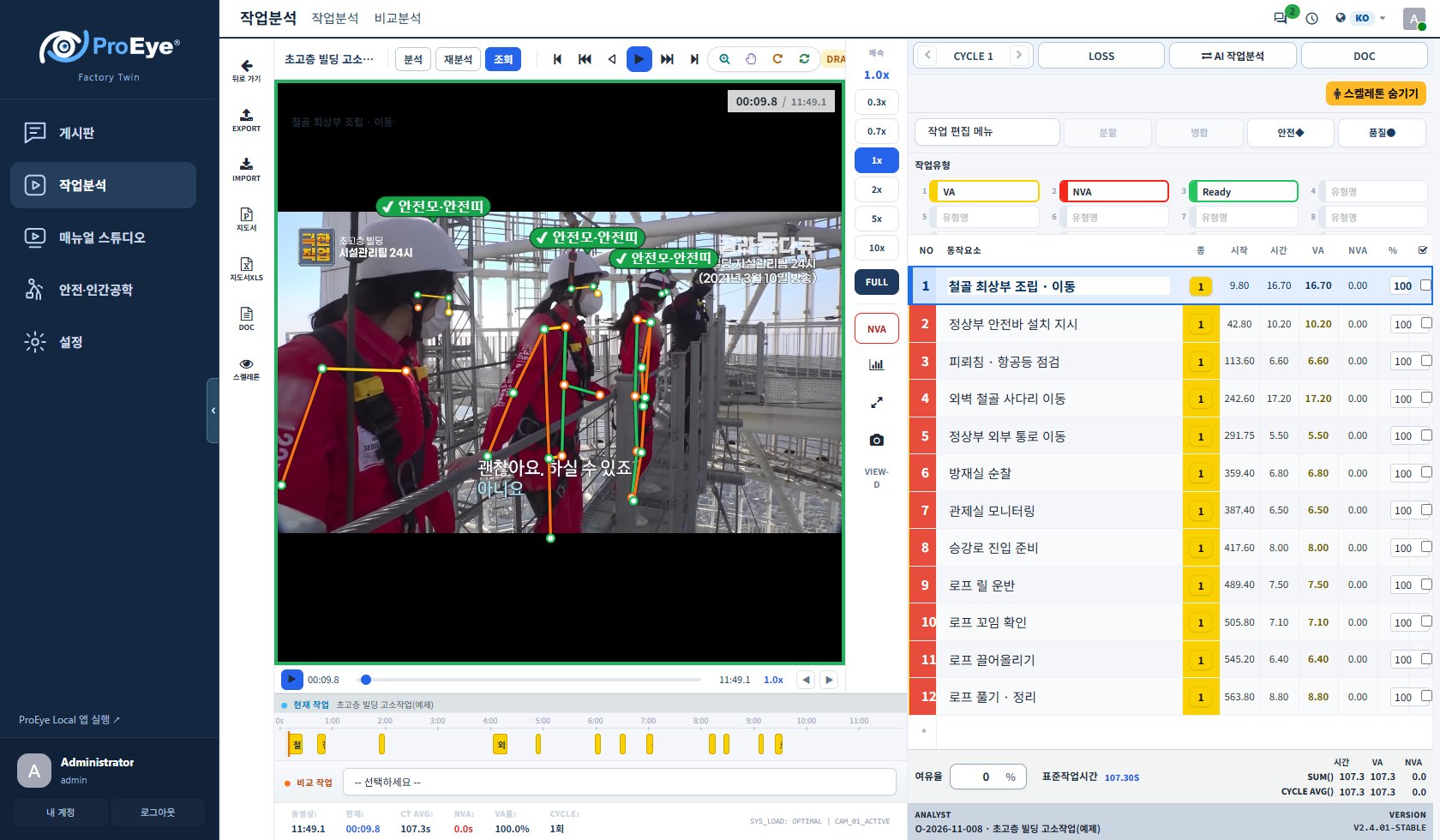
Skeletons straight from work analysis
Real product screenFactory Twin work elements, standard time and safety assessment on the same video.
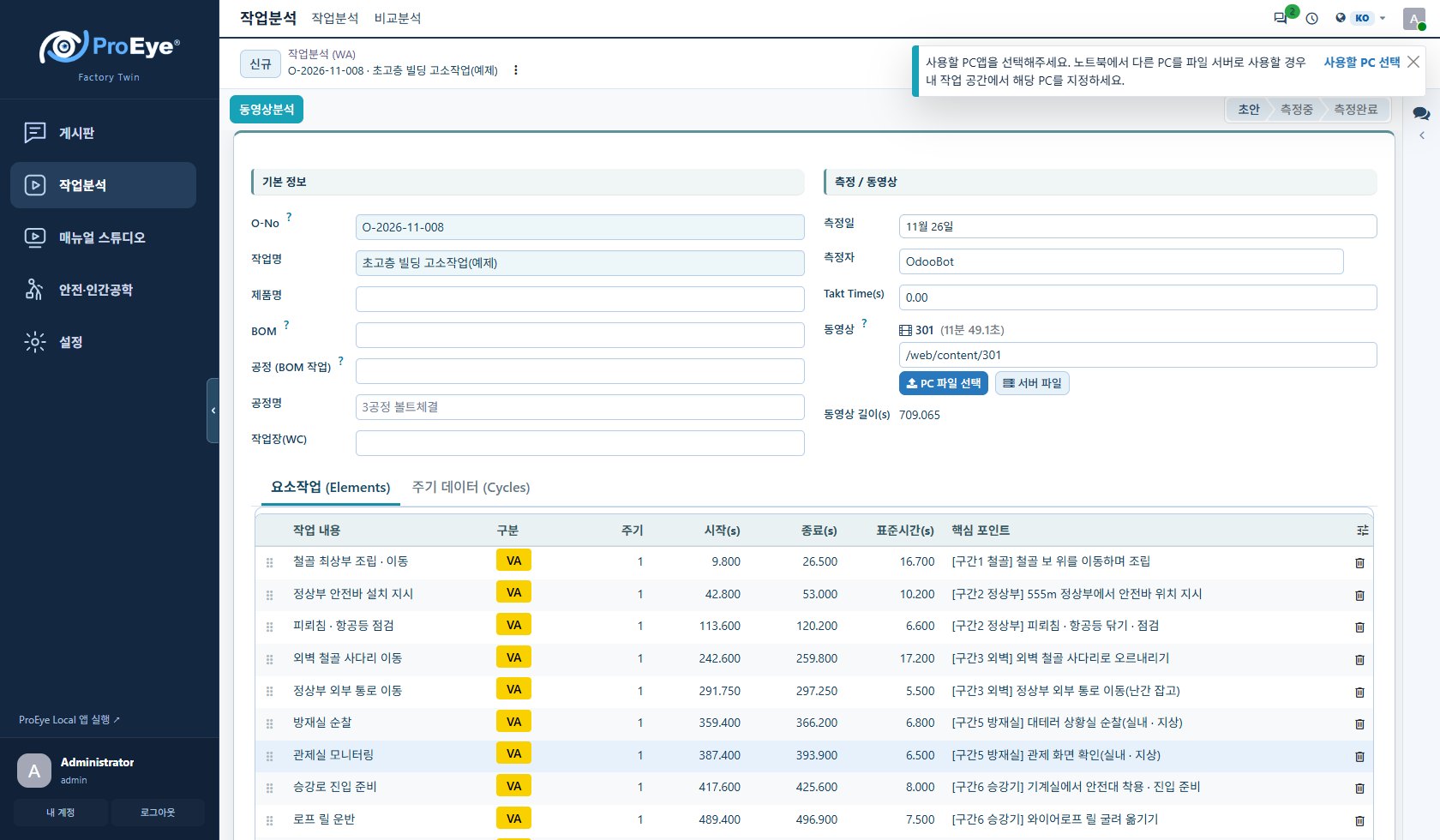
Work elements and standard time
Real product screenEach element becomes a posture-assessment unit and a manual step.
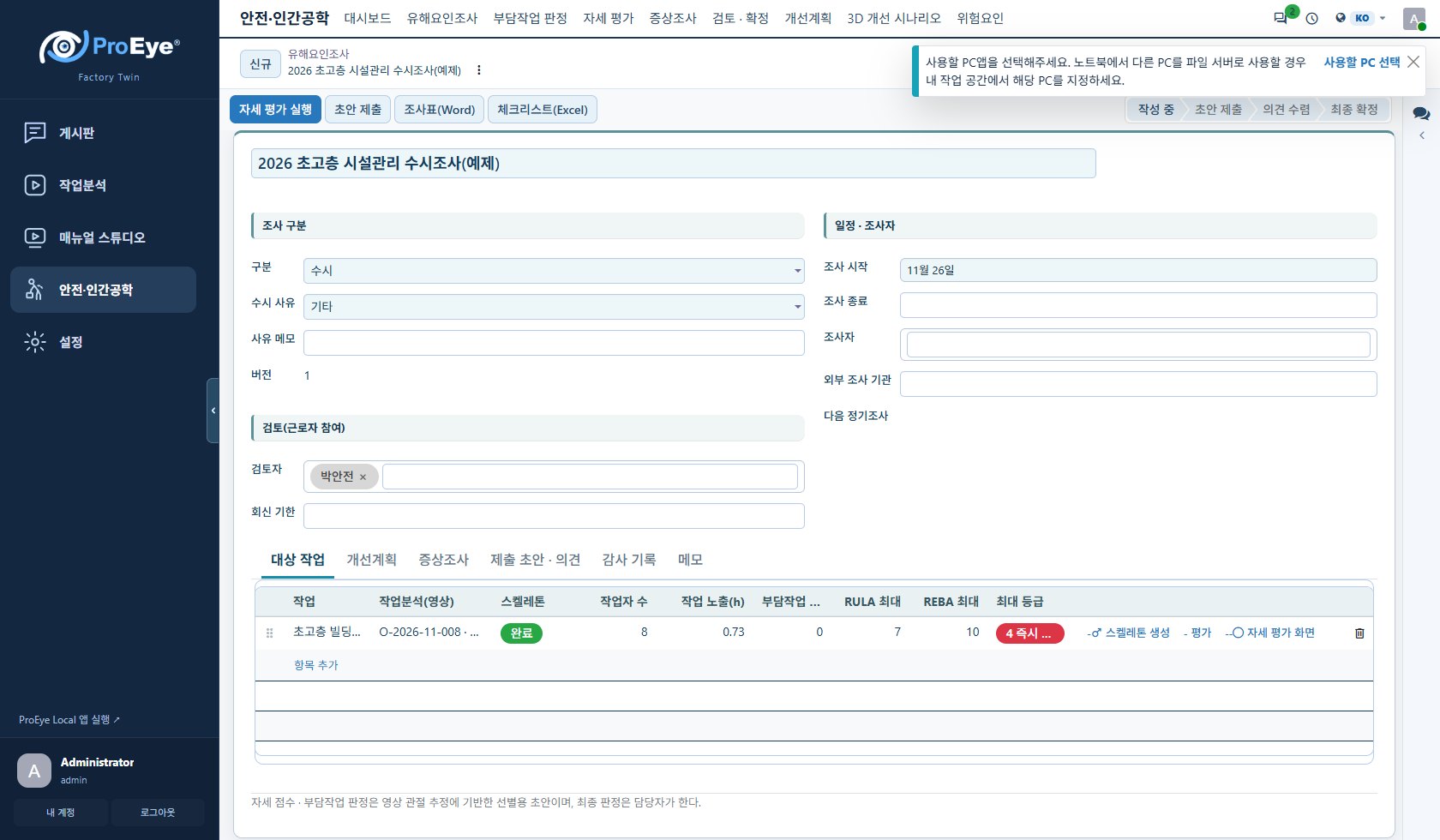
Hazard survey — checks, symptoms, review
Real product screenBurden checks, symptom survey and worker-representative review on one screen, locked once confirmed.
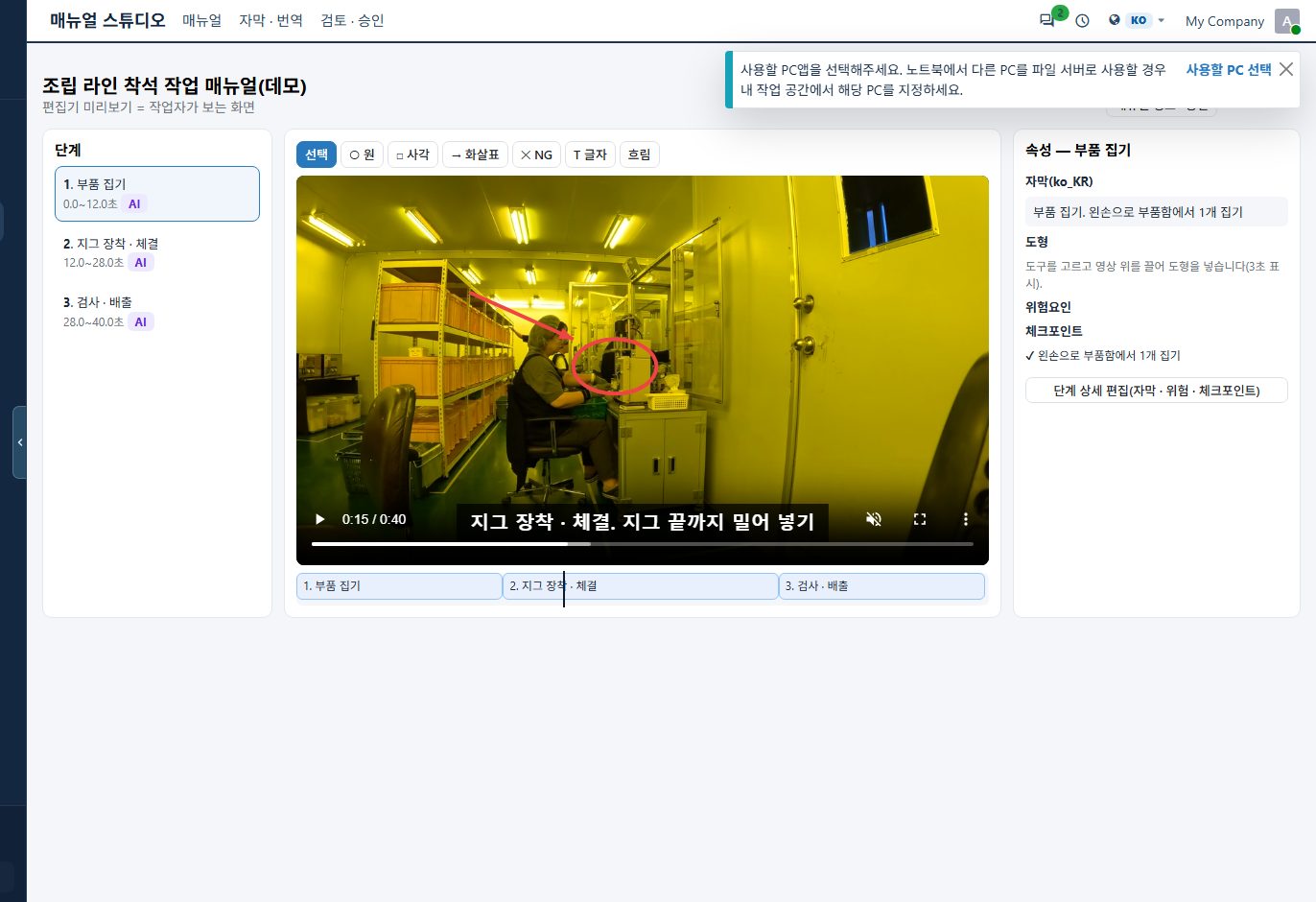
Video work-manual editor
Real product screenEdit steps, captions, checkpoints and risk badges over the video, with translation and approval.
PROPOSAL
The proposal at a glance
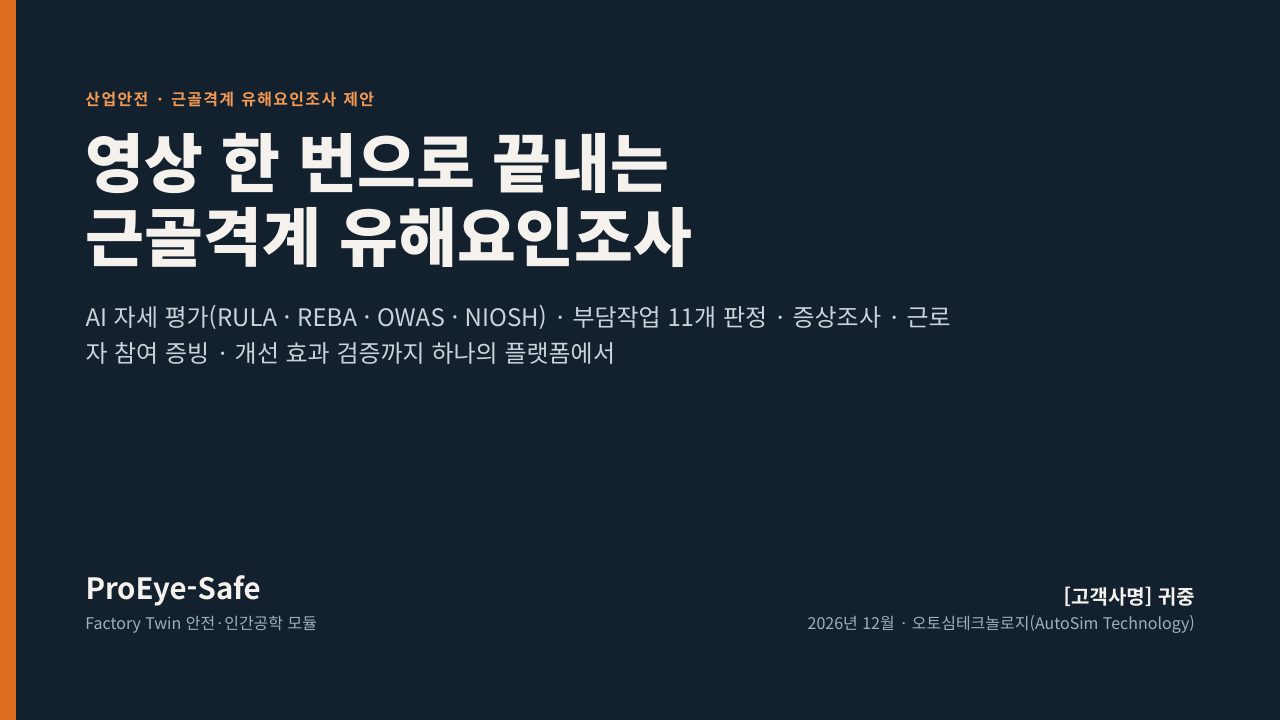
Musculoskeletal risk assessment from a single video. Flip through the 15-page proposal (Korean) or download the PDF for internal review.
HOW IT WORKS
Videos stay on your PC. People decide.
Five steps from survey to improvement and training.
- 01
Connect video
Link work videos in the PC app (ProEye Local). Originals stay on your PC.
- 02
AI analysis
17 joints and PPE are detected per frame; risky scenes are double-checked by AI as images.
- 03
Score · check
RULA, REBA, OWAS and NIOSH scores, the 11 burden checks and symptom survey results come together.
- 04
Review · confirm
Worker representatives view and comment; once confirmed, the record is locked.
- 05
Improve · train
Verify improvements with plans and 3D comparison, then share video manuals with the floor.
FAQ
Frequently asked questions
Are my work videos uploaded to the cloud?
No. Originals stay on the PC running ProEye Local. Only analysis results (joint coordinates, scores) and a few scenes needed for AI checks are sent.
Do I need a GPU server or special equipment?
No. Analysis runs on an ordinary laptop CPU — for example, a 40-second site video at 5 fps took about 24 seconds.
Can it be used for a legal MSD hazard survey?
It keeps the records, forms and worker-participation evidence of the survey. Scores and checks are screening drafts confirmed by your officer — not medical diagnoses.
Does it work with other Factory Twin modules?
Yes. Use it with work analysis (MMC/MAC), line balancing, virtual process, virtual factory and MES as options.
START
Talk to us about ProEye-Safe
Try it first with one site video. Tell us your industry, team size and use case and we will get back to you.